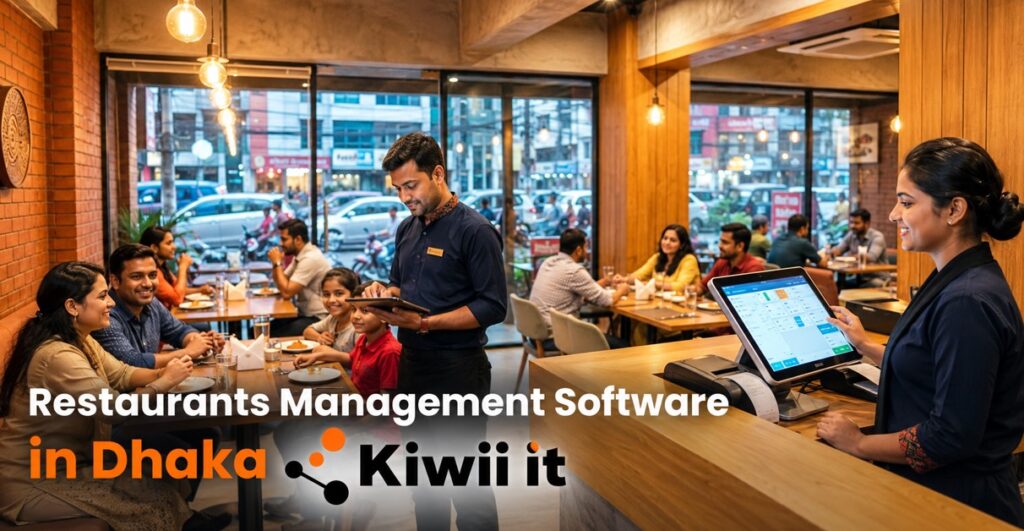
Restaurants management software in Dhaka has moved from a nice extra to a daily need. A busy kitchen in Dhanmondi, Gulshan or Uttara handles dozens of orders, bills, stock checks and tax records every hour, and paper slips simply cannot keep up.
Good software puts all of that in one place. Waiters send orders straight to the kitchen, cashiers print correct bills in seconds, and owners see sales and stock from their phone, even when they are not at the counter.
In this guide, you will learn what such a system does, which features matter most, how pricing works, what hardware you need and how to pick a vendor without regret. kiwii-it also shares how we approach restaurant projects.
What Is Restaurants Management Software in Dhaka and Why It Matters
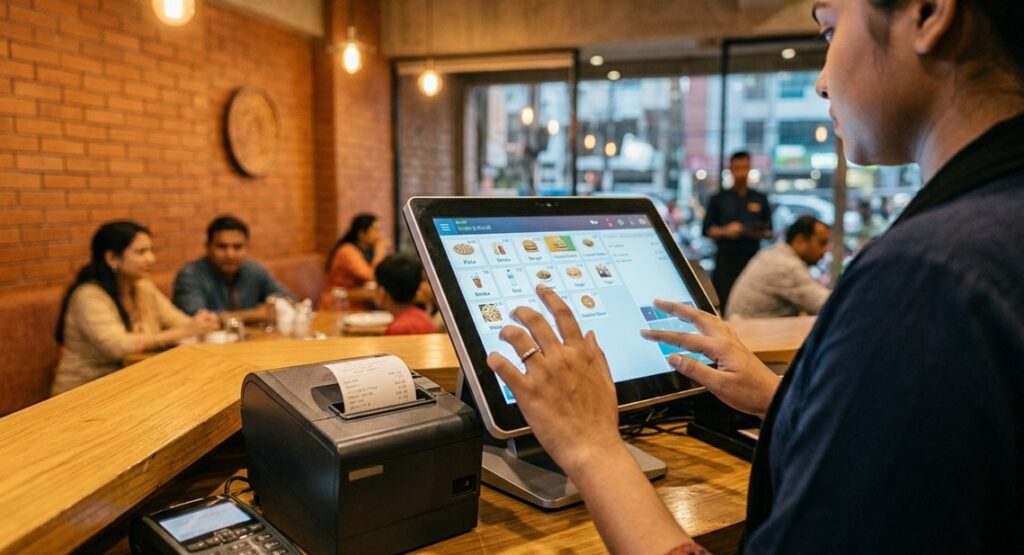
Restaurants management software is a set of tools that runs the daily work of a restaurant. It covers billing, kitchen orders, table tracking, stock, staff and reports, all linked to the same sales data.
Dhaka is a tough place to run a restaurant. Rent is high, customers are quick to leave a bad review, and delivery apps have taught diners to expect fast service. Small mistakes, like a lost order or a wrong bill, cost real money and real goodwill.
Software cuts those mistakes at the source. A waiter enters an order once, the kitchen printer or screen gets it instantly, and the same entry becomes the bill and the sales record. Nobody copies anything by hand.
There is a tax angle too. The National Board of Revenue (NBR) has been pushing businesses toward electronic invoicing. In March 2025, it announced that VAT-eligible hotels and restaurants on highways must install electronic fiscal devices or sales data controllers, and it urged customers to ask for electronic VAT invoices (Banglanews24). Not every outlet falls under that rule, but the direction is clear.
Manual Billing vs Software
Many owners ask whether the switch is worth it. The table below compares the two ways of working.
| Area | Manual or basic billing | Restaurant management software |
| Order taking | Paper slips, shouting to the kitchen | Digital order sent to kitchen at once |
| Billing | Calculator, risk of wrong totals | Automatic totals, discounts and tax |
| Stock tracking | Weekly count, often guesswork | Live stock with low-stock alerts |
| Reports | Hand-written, often days late | Daily sales and item reports in minutes |
| Staff control | Hard to trace errors | Each action tied to a user |
| Owner visibility | Only when present | Remote view from phone |
Manual billing can still work for a tiny tea stall. Once you have tables, a kitchen and more than a handful of staff, though, the gaps start costing money.
Core Features of Restaurants Management Software in Dhaka
Every vendor shows a long feature list. Only a few items decide whether the system helps you daily. Here is what to focus on.
POS and Billing
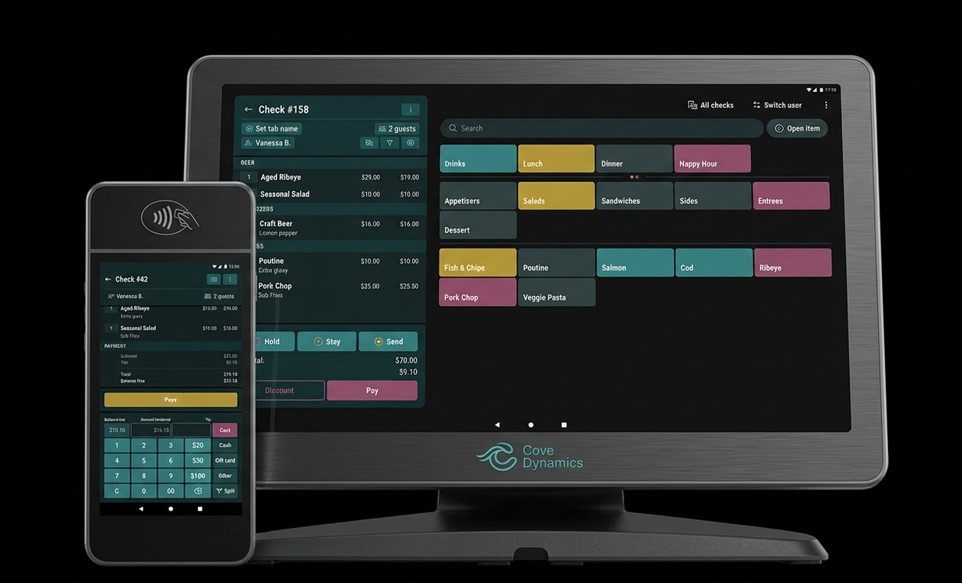
The point-of-sale screen is where staff spend most of their time, so it must be fast and simple. A new cashier should learn it in an hour, not a week. Look for split bills, merged tables, discounts with approval and clear VAT lines on the invoice.
Kitchen Order Tickets and Kitchen Display
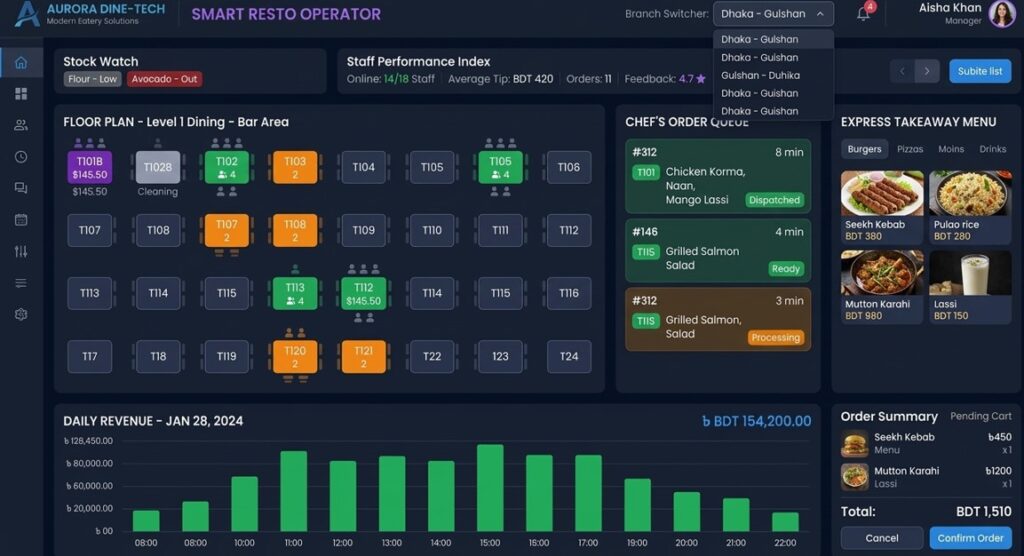
A kitchen order ticket (KOT) sends each order to the right station, such as grill, fry or beverages. Some systems use a printer, others a kitchen screen. Either way, the chef sees the order the moment the waiter confirms it, which reduces confusion and remakes.
Table Management and QR Ordering
Staff can see which tables are free, running or waiting for a bill. With QR ordering, guests scan a code, browse the menu and send an order that staff approve. This helps most during rush hours and in food courts.
Inventory and Recipe Costing
This is the feature owners often skip and later regret. When you link ingredients to each dish, every sale reduces stock automatically. You see which items run low, which ones are wasted and what each plate really costs you.
Reports and Dashboards
Good reports answer practical questions. Which dish earns the most profit? Which hour is slowest? Which waiter handles the most tables? A daily summary on your phone often saves more time than any other feature.
Online Orders and Payments
Many restaurants now take orders from delivery apps, phone calls and their own pages. Software that pulls these into one screen saves staff from juggling tablets. Support for cash, card and mobile wallets keeps the counter moving.
| Feature | Problem it solves | Who needs it most |
| POS and billing | Slow, error-prone bills | Every restaurant |
| KOT or kitchen display | Lost or late orders | Dine-in and cloud kitchens |
| Table management | Confusion over running tables | Full-service restaurants |
| Inventory and recipe costing | Waste and hidden food cost | Mid-size to large outlets |
| Reports | Decisions based on guesses | Owners and managers |
| Multi-branch control | Scattered data | Chains and growing brands |
Cloud, Desktop or Hybrid: Which Model Fits?
Restaurants management software bangladesh buyers usually meet three delivery models. Each has strengths and trade-offs.
| Model | How it works | Strengths | Watch out for |
| Cloud | Runs online, billed monthly or yearly | Remote access, automatic updates, easy multi-branch | Needs stable internet, ongoing fee |
| Desktop | Installed on one counter PC, one-time licence | Works offline, no monthly fee | Per-PC licence, yearly support charge, limited remote view |
| Hybrid | Local system that syncs to the cloud | Keeps billing during outages and still gives remote reports | More setup, usually higher cost |
If your internet is unreliable, a hybrid system or an offline-capable desktop setup is safer. If you plan to open more branches, cloud or hybrid gives you control from one dashboard. Ask any vendor what happens to billing when the connection drops.
How Much Does Restaurants Management Software in Dhaka Cost?
Price is the first question most owners ask, and the honest answer is that it depends on your size, your features and the model you choose.
One local vendor guide lists desktop POS licences at roughly Tk 15,000 to Tk 50,000 as a one-time cost, plus a yearly maintenance fee (HisabPlus). Cloud plans are usually billed monthly or yearly, and prices vary a lot between providers, so ask for a written quote. Treat any published range as a starting point, not a final figure.
The cost of restaurants management software in dhaka rarely stops at the licence. Several extras can change your real budget:
- Yearly maintenance or support fees on desktop systems
- Extra licences for each new counter or branch
- Paid training, which can run to a few thousand taka per session
- Add-on modules, such as advanced reports or online ordering links
- Hardware, such as printers, scanners and tablets, which is bought separately
Free or pirated software looks tempting, but it often has no support, no updates and no safe backup. A single billing failure on a Friday night can cost more than a year of a paid plan.
Hardware You Will Need
Most restaurants management software in dhaka runs on ordinary devices. You rarely need expensive equipment, but a few items make daily work smoother:
- A counter PC, laptop or Android tablet for the POS screen
- A thermal receipt printer for bills
- A kitchen printer or a screen for orders
- A barcode scanner, if you sell packaged items
- A reliable router, ideally with a backup connection
Buy printers that your software vendor confirms are compatible. A mismatched printer is one of the most common reasons for launch-day delays.
How to Choose Restaurants Management Software in Dhaka
A polished demo does not prove a system works in your kitchen. Test it with your real menu and your real staff before you pay.
Use this checklist when comparing vendors:
- Ask for a trial or demo loaded with your own menu and tables
- Confirm that VAT lines and invoices match your current needs
- Check offline behaviour, support hours and response time
- Request references from restaurants of a similar size in Dhaka
- Read the contract for data export, renewal and extra-user charges
Support matters more than most owners expect. When the printer stops at 8 pm on a Friday, you need a person who answers, not a ticket that waits until Sunday.
A Short Real-World Example
Picture a 30-seat cafe in Dhanmondi that runs on paper slips. During the evening rush, two orders get mixed up, one table waits 40 minutes and a guest leaves a bad review. The owner also has no idea which dishes earn money, so the menu never changes.
Now picture the same cafe with a simple system. Orders reach the kitchen in seconds, the bill matches the order and the owner sees item sales every morning. After a month, the owner drops two slow dishes and raises the price on the best seller. Nothing about the food changed. The information did.
Setup Timeline
A realistic rollout is faster than most owners fear. The table below shows a typical plan for a single outlet.
| Stage | What happens | Typical time |
| Discovery | Share menu, tables, taxes and staff roles with the vendor | 1–2 days |
| Configuration | Menu, prices, users and printers set up | 2–4 days |
| Training | Cashiers, waiters and kitchen staff practise | 1–2 days |
| Soft launch | Run software alongside the old method for a short period | 3–7 days |
| Go live | Full switch with vendor support on call | Day after soft launch |
These timings are indicative and depend on menu size and the number of outlets. Never go live on your busiest weekend. Pick a quiet weekday so staff can learn without pressure.
Common Mistakes to Avoid
Most failed rollouts come down to a few avoidable slip-ups:
- Picking a system on price alone, then finding out support is nowhere to be found
- Skipping staff training and blaming the software when orders go wrong
- Loading a messy menu full of duplicate items and wrong prices
- Leaving inventory setup for later, which wastes the biggest cost-saving feature
- Never checking who owns the data or whether it’s backed up
Fixing these early is far cheaper than switching systems a year down the line.
Frequently Asked Questions
What is restaurants management software in dhaka used for?
It handles billing, kitchen orders, table tracking, stock, reports and VAT records in one system. Owners use it to cut errors, control waste and see sales from anywhere.
How much does restaurant software cost in Bangladesh?
Desktop licences are often quoted from about Tk 15,000 to Tk 50,000 one time, plus yearly support. Cloud plans use monthly or yearly fees that vary by provider and features. Always get an itemised quote.
Can it work without internet?
Desktop and hybrid systems can keep billing offline and sync later. Pure cloud systems need a connection, so ask about backup options before you buy.
Do I need special hardware?
Not usually. A PC, laptop or tablet, a thermal printer and a stable router are enough for most outlets. Add a kitchen printer or screen as you grow.
Is the software useful for a small restaurant?
Yes. Even a small cafe benefits from faster billing, clearer daily reports and basic stock tracking. Start with a simple plan and add modules later.
Practical Tips Before You Buy Restaurants Management Software in Dhaka
A few habits make the decision easier:
- Write down your top five daily problems before watching any demo
- Prepare a clean menu file with correct prices and categories
- Test the system during a real service hour, not only in a meeting
- Keep a printed backup procedure for power or network cuts
Conclusion
The right restaurants management software in dhaka depends on your size, your budget and how your kitchen actually runs. Start with the problems you face every day, test the system with your own menu, and compare vendors on support and clarity rather than on the lowest price.
If you are ready to take the next step, kiwii-it can walk you through a demo, map the system to your menu and tables, and stay with you through training and launch. Share your outlet size, current billing method and branch plans, and we will suggest a clear setup.